
EnakPay Support
24/7 help, quick guides and videos for your venue team.
Get help now
How-to guides
EnakPOS
- Open the register
- Close the register
- Take an order with modifiers
- Split payment / Multi-Payment
- Pay on account
- Hold an order
- Add a new customer
- Find a customer
- Seat and move a table
- Change an item in the cart
- Add a custom item
- Give a discount
- Take a payment
- Cancel an item
- Reprint a receipt
- Keep selling when the internet drops
- Record cash in and cash out
- Daily recap
- Register history
- Promotions and coupon codes
- Split and merge bills
- Cancel a whole order
- Print issues
- Pickup queue board
- Edit the table layout
- Sign in, sign out and PINs
- Refunds are not in the POS
EnakKDS
EnakApp
- What your guests see
- Hide a dish from guests
- Pay at register orders
- A payment did not finish
- The order queue
- Scheduled orders
- Promotions, events and reservations
- How do I mark a dish as sold out so guests can't order it?
- A guest's payment failed. What happens to their order?
- Where do I see orders that will be paid at the register?
- How do I download the QR codes for my tables?
EnakVP
- Add a menu item
- Bulk upload a menu
- Check the sales report
- Install the Insight app
- Add a staff member
- Venue opening hours
- Add a table and its QR code
- Connect a printer
- Create a discount promotion
- Change a menu price
- Menu hours
- Create a modifier group
- Track item stock
- Track modifier stock
- Use promo labels
- Add a floor area and tables
- Service areas and printers
- Staff access and PINs
- Item Summary and Deep Analysis
- Invoice an account customer
- Chase unpaid bills
- Tax and receipt settings
- Set up sales channels
- Troubleshoot printing
Video & GIF
- EnakPOSSoonOpen the register
- EnakPOSSoonClose the register
- EnakPOSSoonTake an order with modifiers
- EnakPOSSoonSplit payment / Multi-Payment
- EnakPOSSoonPay on account
- EnakPOSSoonHold an order
- EnakKDSSoonMove an order to prepare
- EnakKDSSoonChoose a service area
 GIF · 0:40Add a menu item
- EnakVPSoonBulk upload a menu
- EnakVPSoonCheck the sales report
- EnakVPSoonInstall the Insight app
- EnakPOSSoonAdd a new customer
- EnakPOSSoonFind a customer
- EnakPOSSoonSeat and move a table
- EnakPOSSoonChange an item in the cart
- EnakPOSSoonAdd a custom item
- EnakPOSSoonGive a discount
- EnakPOSSoonTake a payment
- EnakPOSSoonCancel an item
- EnakPOSSoonReprint a receipt
- EnakPOSSoonKeep selling when the internet drops
- EnakKDSSoonSign in to the kitchen screen
- EnakKDSSoonFix a mistake on the kitchen screen
- EnakAppSoonWhat your guests see
- EnakAppSoonHide a dish from guests
- EnakAppSoonPay at register orders
- EnakVPSoonAdd a staff member
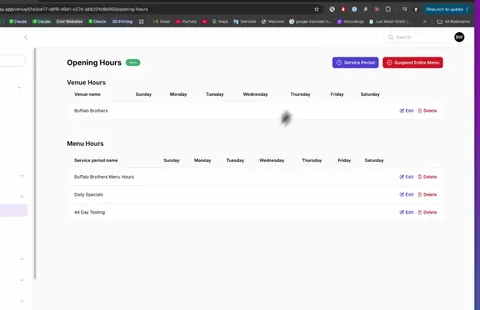 GIF · 0:25Venue opening hours
- EnakVPSoonAdd a table and its QR code
- EnakVPSoonConnect a printer
- EnakVPSoonCreate a discount promotion
 GIF · 0:28Change a menu price
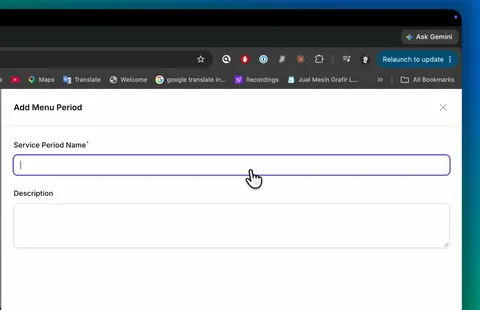 GIF · 0:10Menu hours
- EnakPOSSoonRecord cash in and cash out
- EnakPOSSoonDaily recap
- EnakPOSSoonRegister history
- EnakPOSSoonPromotions and coupon codes
- EnakPOSSoonSplit and merge bills
- EnakPOSSoonCancel a whole order
- EnakPOSSoonPrint issues
- EnakPOSSoonPickup queue board
- EnakPOSSoonEdit the table layout
- EnakPOSSoonSign in, sign out and PINs
- EnakPOSSoonRefunds are not in the POS
- EnakKDSSoonSeveral kitchen screens
- EnakKDSSoonRead a kitchen ticket
- EnakAppSoonA payment did not finish
- EnakAppSoonThe order queue
- EnakAppSoonScheduled orders
- EnakAppSoonPromotions, events and reservations
- EnakVPSoonCreate a modifier group
- EnakVPSoonTrack item stock
- EnakVPSoonTrack modifier stock
- EnakVPSoonUse promo labels
- EnakVPSoonAdd a floor area and tables
- EnakVPSoonService areas and printers
- EnakVPSoonStaff access and PINs
- EnakVPSoonItem Summary and Deep Analysis
- EnakVPSoonInvoice an account customer
- EnakVPSoonChase unpaid bills
- EnakVPSoonTax and receipt settings
- EnakVPSoonSet up sales channels
- EnakVPSoonTroubleshoot printing