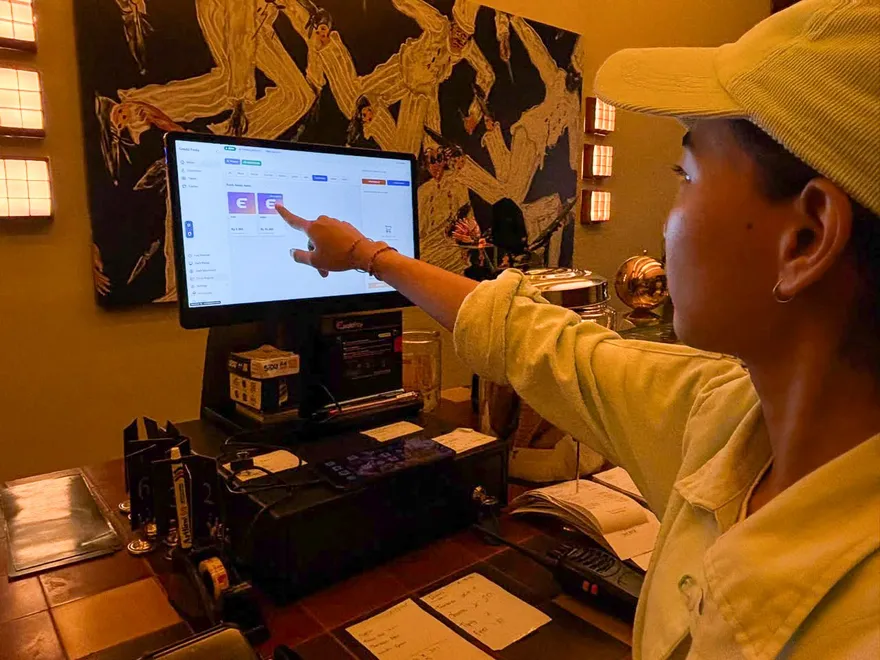
What in-person POS training and support should cover
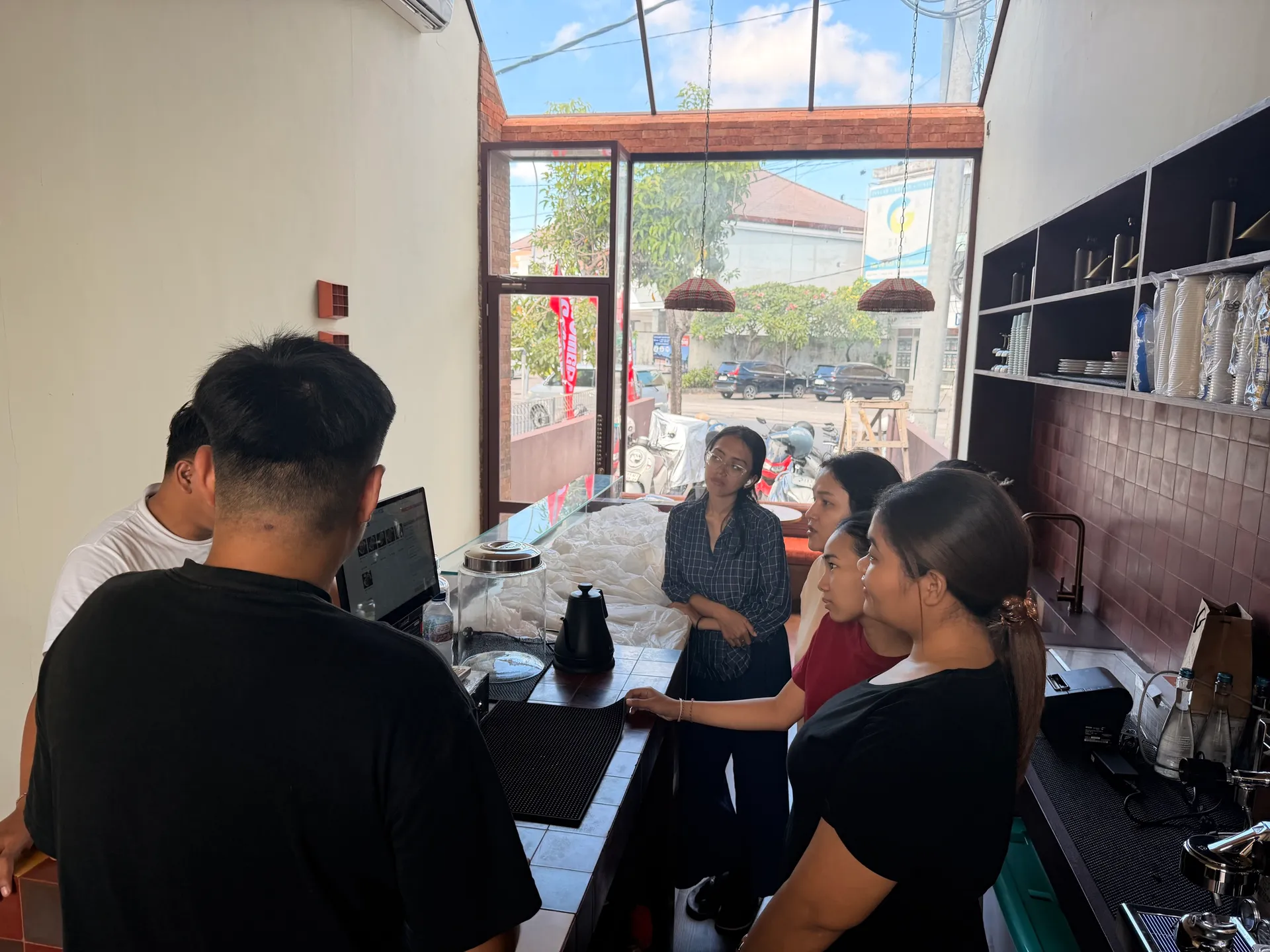
A till system is only worth what your team can do with it at eight on a Saturday night. Two venues can run identical software and get completely different results, and the difference is almost always training: who was shown what, and who was there to answer the questions nobody thinks to ask until the room is full.
So before comparing feature lists, it is worth asking how a provider gets your team from nothing to confident, and what happens months later when something stops working.
What good onsite training covers
Training is not a walkthrough of every menu. It is the handful of things each person actually touches, taught where they will do it.
For counter and floor staff, the shift itself:
- Taking an order and sending it to the kitchen.
- The floor plan for your areas, and moving or merging tables when guests change seats.
- Finding an order again on the Active, On Hold, Paid and Pending Payment tabs.
- Applying a percentage or fixed discount, a promotion or a coupon.
- Adding a guest to an order so a member earns their points.
- Taking payment and printing, or reprinting when a guest asks.
For supervisors, the things that need authority:
- Signing in with a PIN, and which actions need a supervisor PIN instead: voids and custom items.
- Closing the register, and reading the summary of orders, guests, sales and cash so it reconciles.
- What to do when a printer fails, including the alert the system raises.
For the owner or manager, the parts that only matter later:
- Staff accounts and who can open what.
- Channel pricing, so a dish sold through GrabFood carries its own price.
- The reports you will actually look at each week.
The questions staff ask on day one
These come up at almost every venue. A trainer standing at your counter answers them in ten seconds. A video does not.
- A guest wants to move to another table. Move the order to the new table, or merge it with one already there.
- I put the wrong item through. Voiding needs a supervisor PIN, which is deliberate. Your supervisor sees what was voided and when.
- The kitchen printer did not print. The system alerts you rather than failing silently, so the ticket can be reprinted before the kitchen falls behind.
- The internet dropped. The register keeps going, so you can keep serving.
- A guest wants to pay half now. Where that sits in your flow is exactly the sort of thing to settle during training, with your own menu in front of you.
- How do I know what to make next? Orders carry a status and a timer that changes colour when one runs late.
Write down the questions your own team asks in the first week. That list is the best possible agenda for the follow-up session, and a fair test of whether a provider will come back and run one.
Why in person beats a video call
Plenty can be fixed remotely: a wrong price, a confusing report, staff permissions. But much of what goes wrong at a venue is physical.
- Kitchen printers that stop receiving orders because of a cable, the paper, or a network setting.
- Wi-Fi that is strong at the counter and weak in the kitchen or on the rooftop.
- Devices dropped, splashed, or flat mid-service.
- New staff who need to be shown, not sent a link.
- A changed layout: more tables, a new area, QR codes to move.
A phone call cannot replug a cable, move a router, or stand beside the till during the rush. For these, the distance between your support team and your venue is the whole story.
Retraining when you hire
Staff turnover at Bali venues is high, and this is where most training promises quietly expire. The venue is trained once, at setup, and then every new hire learns from whoever happens to be on shift. Six months later nobody is quite sure how a void works and the closing numbers stop reconciling.
Ask whether retraining is included, whether it is at your venue or only remote, and whether it is capped. Get the answer before you sign, not when you are short-staffed in high season.
When something does go wrong
Training reduces how often you need support. It does not remove it, and the cost of a bad night is worth knowing.
Work it out with your own numbers: your average revenue per hour at peak, how long the system is typically down, the hours someone spends re-entering paper tickets afterwards, and the ingredients wasted on wrong orders. At most Bali venues one bad night exceeds a whole year of the price difference between providers. That is why support belongs in the price comparison rather than as a footnote.
There is no industry standard for POS response times in Indonesia, so “we are fast” means nothing on its own. Ask every provider for these four, in writing:
- The real support hours. Do they cover evenings, weekends and public holidays? Your venue is busiest when most offices are shut.
- First response time. How long until a human replies, not an auto-acknowledgement?
- Resolution time. How long until it is actually fixed, and what happens if it cannot be fixed that night?
- On-site visits. Are they available, what do they cost, and what is the wait?
Three more that get forgotten: which channels they use, what language the support team works in, and who answers when the first person is not available. Keep the answers. When something goes wrong, that is the document that separates expectation from reality.
What you can prepare yourself
- A spare device, already signed in and ready.
- A phone hotspot as a backup connection, with staff who know how to switch to it.
- Spare receipt paper, and a spare printer if the budget allows.
- Two trained staff per shift who know the system, not just the manager.
- The support number on the wall by the till, where everyone can see it.
- A short written fallback: who writes orders down, on what, and who re-enters them after closing.
How EnakPay handles this
Our team is in Bali, and that shapes every point above:
- Setup at your venue. We install the system, connect printers and the kitchen screen, and check the network works in the guest area and the kitchen.
- We load your menu, with prices, photos and add-ons, and no onboarding fee.
- Training where staff work, covering the list above with your own menu on the screen.
- Retraining when you hire, for as long as you are with us.
- 24/7 support, remote and on site, including evenings and weekends.
- A reply within minutes, 2 hours at most. Our team is notified the moment you message.
- Most issues fixed within a few hours. For a major issue we put a temporary fix in place so your venue keeps trading, then do the final fix overnight while you are closed.
- For venues in Bali we come to you when something cannot be fixed remotely.
We would suggest putting the four questions above to us as well, then comparing our answers with the other providers you are considering.
Next
Support is one of nine things worth checking before choosing a till system. The full list is in what to look for in a restaurant POS, and the version written for Bali venues is in how to choose a POS system in Bali.
Want to see what setup looks like at your venue? See our plans or ask for a live demo.